Lay out the app.
Containers, tabs, and panels organize the interface - group related controls, separate steps, and place the 3D viewport where it belongs.
Platform / Authoring
App Builder is how a ShapeDiver model becomes an app. Every model you upload gets a working interface out of the box; App Builder is the no-code way to design a better one (tabs, panels, controls, charts, and more) as components on the Grasshopper canvas, without a separate UI editor or any web development.
Open source. 14-day trial for the platform.
%22%20stroke-width%3D%222%22%20stroke-dasharray%3D%2210%208%22%2F%3E%3Ctext%20x%3D%2240%22%20y%3D%2256%22%20font-family%3D%22ui-monospace%2CSFMono-Regular%2CMenlo%2CConsolas%2Cmonospace%22%20font-size%3D%2215%22%20letter-spacing%3D%222%22%20fill%3D%22%2375fbf6%22%3EPLACEHOLDER%20%2F%20SCREENSHOT%3C%2Ftext%3E%3Ctext%20x%3D%22440%22%20y%3D%22244%22%20text-anchor%3D%22middle%22%20font-family%3D%22CircularXX%2CHelvetica%2CArial%2Csans-serif%22%20font-size%3D%2226%22%20font-weight%3D%22500%22%20fill%3D%22%23ffffff%22%3ECanvas%20and%20rendered%20app%2C%20side%20by%20side%3C%2Ftext%3E%3Ctext%20x%3D%22440%22%20y%3D%22284%22%20text-anchor%3D%22middle%22%20font-family%3D%22CircularXX%2CHelvetica%2CArial%2Csans-serif%22%20font-size%3D%2219%22%20fill%3D%22rgba(255%2C255%2C255%2C.62)%22%3EReplace%20with%20a%20split%20view%3A%20App%20Builder%20components%20on%20the%20Grasshopper%20canvas%3C%2Ftext%3E%3Ctext%20x%3D%22440%22%20y%3D%22310%22%20text-anchor%3D%22middle%22%20font-family%3D%22CircularXX%2CHelvetica%2CArial%2Csans-serif%22%20font-size%3D%2219%22%20fill%3D%22rgba(255%2C255%2C255%2C.62)%22%3Eon%20one%20side%2C%20the%20rendered%20app%20(tabs%2C%20parameter%20panel%2C%203D%20viewport)%20on%20the%20other.%3C%2Ftext%3E%3Ctext%20x%3D%22840%22%20y%3D%22500%22%20text-anchor%3D%22end%22%20font-family%3D%22ui-monospace%2CSFMono-Regular%2CMenlo%2CConsolas%2Cmonospace%22%20font-size%3D%2214%22%20letter-spacing%3D%221.5%22%20fill%3D%22rgba(255%2C255%2C255%2C.62)%22%3E880%C3%97540%3C%2Ftext%3E%3C%2Fsvg%3E)
What it is

App Builder is the layer that turns a model on the platform into an app people can use, and it works on two sides. In Grasshopper, it adds components for designing the interface - choosing which parameters to show, arranging them in tabs and panels, and adding charts, tables, images, drawing tools, and more. Online, an open-source framework reads those components and renders your model as a web app: the ShapeDiver Viewer handles the 3D, and the interface you defined surrounds it.
You don’t have to design anything to get started. Upload a definition with no App Builder components and it still opens as an app, with automatic controls for the parameters and exports you exposed. Add App Builder components and you take over that interface - the same Grasshopper file now carries both the definition and the app around it. And because the framework is open source, developers can see exactly how it works and extend it.
Containers, tabs, and panels organize the interface - group related controls, separate steps, and place the 3D viewport where it belongs.
Decide which parameters people see and how, order and group them, and show or hide them based on other choices, so the interface stays relevant as the configuration changes.
Charts, tables, and image widgets present the numbers behind a design (dimensions, quantities, pricing, analysis) next to the model they describe.
Drawing tools, action buttons, and saved states let people mark up a model, trigger exports, and return to a configuration later.
Style the app to match your brand, so what you ship looks like your own product.
Two ways to build the interface
App Builder is one of two routes for building an app’s front end, and they aren’t exclusive. App Builder is the no-code route: you design the interface in Grasshopper, ship it yourself, and never leave the canvas - usually the quickest way to a custom UI, and the right call for most computational designers. When a project needs a fully custom front end, deeper integration, or a development team’s own framework, you can build against the Viewer API instead: in code, with a coding agent, using ShapeDiver’s Agent Skills. Many teams start in App Builder and reach for code only where they need it.
See agent-assisted build
AI agent toolsPreview
ShapeDiver’s in-app AI agent lets your users change a model by describing what they want - adjusting parameters, moving the camera, and more, through a chat interface. The tools that agent is allowed to call are defined the App Builder way, as components in Grasshopper, so you decide exactly what it can do inside your app. The in-app agent is an early preview; we’ll say more as it matures.
See the AI story
Where App Builder fits
App Builder presents the app, but it isn’t the whole picture. The definition behind it is authored with the ShapeDiver plug-in and uploaded to the platform from the Grasshopper canvas, the same canvas where you design the interface with App Builder. The platform hosts and runs the model; your workspace on the platform is where you organize, version, and share it, and control who can open it. From there the app runs wherever you put it - on ShapeDiver or embedded in your own site.
See how ShapeDiver works
Start from an example
The example-model library includes a full App Builder chapter - working definitions that go from a basic interface to contextual UIs, linked exports and image widgets, and charts and graphs. Open one, upload it, and see how the components fit together before you build your own.
App Builder examplesFrom the blog
ShapeDiver's CTO Alex Schiftner on why we built App Builder, what it supports, how it works under the hood, and what comes next.
 Alex Schiftner

Tired of manually dragging sliders to check if your Grasshopper model broke? We've open-sourced our App Builder Testing Framework. Powered by Playwright, it lets you easily automate browser tests, user interactions, and visual regression checks before your users find the bugs.
 Michael Oppitz
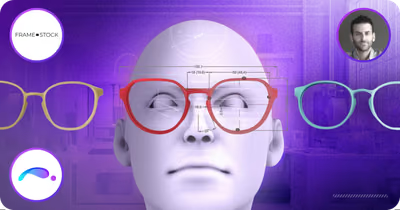
Industrial designer Andrés Roppa on Frame Maker, which turns 2D outlines into 3D-printable custom-fit frames with Grasshopper, ShapeDiver, and App Builder.
ShapeDiver
App Builder
Install the plug-in, start a free trial, and build an app interface for one of your own definitions - no web development, all on the canvas you already work in. The component reference and guides are in the docs whenever you need them.
