A private link.
Send a link that opens the model in a browser (no ShapeDiver account needed on the other end) and, if you like, carrying a saved configuration so it opens exactly as you set it. Good for a client review or a quick sign-off.
Platform
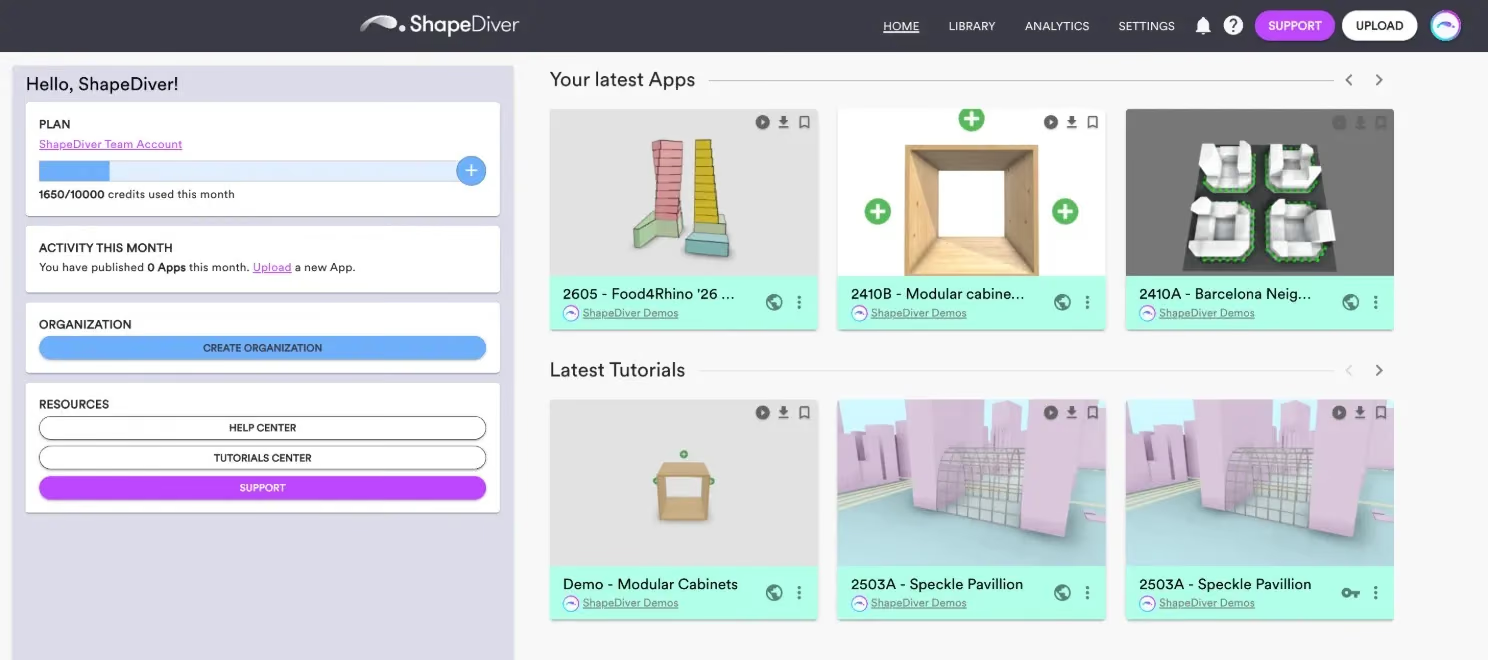
Once a Grasshopper definition is on the ShapeDiver platform, it lives in your workspace - your private space to organize your models, control how each one looks, decide exactly who can use it, and put it in front of the people who need it, without re-uploading it, losing track of versions, or exposing the definition itself.
14-day trial. No credit card.
What your workspace is
Your workspace is where your uploaded models and everything around them lives: the models themselves, the settings that control how each one is presented, the permissions that decide who can open it, and the embeds that place it on your own sites. You reach it by logging in to the platform; you can keep it to yourself, or bring in a team. The Grasshopper definition itself stays on our servers, out of sight.
Your model library
Upload a definition and it becomes a model in your library, where you can organize it, keep it up to date, and publish a new version when your definition changes - everyone using the model gets the update. Models are private until you decide otherwise, so nothing is public by accident.
Uploading & managing modelsSharing
Your workspace gives you two ways to share a model:

Send a link that opens the model in a browser (no ShapeDiver account needed on the other end) and, if you like, carrying a saved configuration so it opens exactly as you set it. Good for a client review or a quick sign-off.
Grant named ShapeDiver users their own access and choose what each one is allowed to do (view, export, download, and more). They can be teammates or outside collaborators.
Either way, the definition itself stays hidden; sharing a model never means handing over your logic. Sharing in the docs
Display settings
Each model has its own display settings in the workspace, kept separate from the Grasshopper file - the viewer’s lighting, camera, background, AR, and rendering effects. You adjust how a model looks here, with no need to reopen Grasshopper or re-upload. The interface itself (which parameters people see and how they’re arranged) is designed in Grasshopper with App Builder, so it travels with the definition rather than being set here.
Work as a team
A workspace can be one person’s or a whole team’s. With an organization, your models live in a shared space, you invite the people who should have access, and team leads assign roles so everyone has the right level of control. It’s how a studio or a practice keeps its work together instead of scattered across individual accounts.
Organizations are part of the paid plans.
OrganizationsEmbedding
When a model is ready to go beyond ShapeDiver, your workspace is where you get what you need to place it elsewhere: an embed to drop it into your own website, or a model ticket to give your own application controlled access to it. The model runs from the platform; it just appears under your brand, in your product.
Analytics
Your workspace shows you how your models are actually being used (sessions, computations, output and export requests, model loads, and AR views) along with the credits each one consumes. You can look at a single model or across everything, over the period you choose, so you can see what’s popular and keep an eye on compute.
Account analytics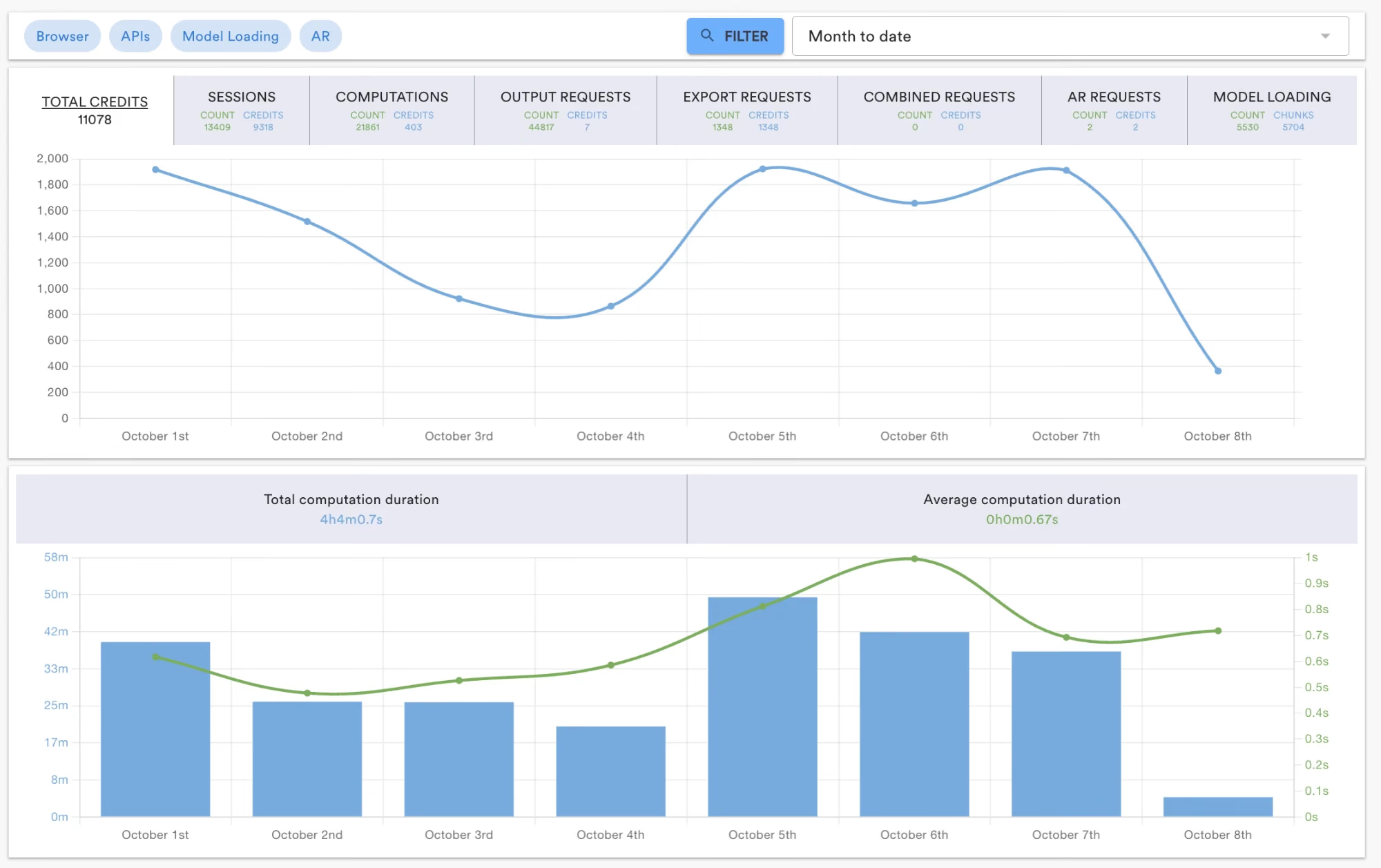
Security
Everything in your workspace runs on SOC 2® Type II audited infrastructure, with cloud regions in the EU, the US, and Asia. Your definitions stay private on our servers, permissions are yours to set per model and per person, and nothing is shared until you share it.
Security & Trust
Workspace
Start a free trial, upload a definition, and you’ll have a workspace of your own in minutes - organize it, share it, and see how it’s used. The how-to is in the docs whenever you need it.