While Grasshopper excels at rapid parametric modeling through its extensive library of native and community components, tackling intricate logic purely with standard nodes can quickly become cumbersome. As definitions grow, maintaining, documenting, and optimizing performance across complex setups becomes increasingly difficult.
Incorporating C# or Python scripting components offers a partial solution, yet we tried to stay away from them whenever possible.
Why did we avoid scripting components?
Most clients who require our services lack deep technical expertise. Therefore, we strived to rely on standard Grasshopper components whenever possible, ensuring our clients could easily inspect, comprehend, and maintain their parametric definitions over time.
Nevertheless, stepping away from code isn’t always feasible. What if your logic requires iterative data loops? While plugins like Anemone handle this natively, performance is affected, and the setup is complicated. What if you want a method that the RhinoCommon API has, but it is not exposed by any native component?
These are cases where using scripting components becomes inevitable.
Using Scripting Components
Ever since scripting components emerged in Rhino 5, our team has relied on them to push Grasshopper beyond its standard limits. Over time, we compiled an extensive library of versatile, general-purpose scripts. That said, building this library required team members who could craft complex C# logic for RhinoCommon while maintaining deep expertise in visual programming with Grasshopper. At the time, finding professionals with this exact intersection of skills was challenging. Additionally, the legacy script editor was basic, making debugging and refining logic cumbersome. While we managed to overcome these challenges, they often created bottlenecks, relying on a single team member for updates and spending hours troubleshooting.
Fortunately, two major breakthroughs transformed our workflow. First, Rhino 8 introduced a modern Integrated Development Environment (IDE), marking a pivotal shift in how scripts are developed and debugged. Second, right alongside this new IDE, an entirely new era emerged.
The Artificial Intelligence Era
With the arrival of AI, the use of scripting components became more frequent. Getting into C# programming with LLMs while being a computational designer became easier and more natural. Furthermore, clients could leverage AI to inspect and modify scripts independently, removing technical barriers as a reason to avoid code-based solutions.
Unfortunately, there was something we did not realize when using more of these components.
The Unexpected Bottleneck
C# scripting components must be compiled when a Grasshopper definition opens. While this startup delay was negligible when we relied on only a few components, it grew noticeably as their usage expanded. In local environments, this delay may seem trivial, but for web-based client models, it creates a frustrating experience. Users are left wondering why execution times fluctuate wildly without realizing the model is compiling scripts behind the scenes. Because end web users are typically non-technical, simply adding warning messages and hoping the user waits was not an option.
How can the compilation time of scripts be avoided?
Scripting components must be compiled on the fly since they can contain arbitrary code and may be edited at any time. While this offers great flexibility during early prototyping and testing, packaging stable code into a compiled plugin is the best next step once the component logic settles. Because plugins are precompiled, they load instantly and eliminate startup delays.
Are there any other benefits to developing a plugin?
Defining a clear data structure within a C# plugin establishes a stronger foundation for your Grasshopper logic, while enabling shared core logic across multiple components. In this approach, Grasshopper acts primarily as an orchestrator while the main logic resides in code. You can learn more about this in my blog post on how we developed a custom plugin for a specific project: Code to concrete: scripting kilometers of highway walls.
Additionally, a real game-changer is the use of version control. It is no secret that Grasshopper lacks a proper version control architecture. When you move your code outside of it, you can cleanly track, review, document, and merge your changes.
Finally, in the era of AI, leveraging agents to read, understand, and generate code is far more convenient within a dedicated Integrated Development Environment. However, this does not eliminate the responsibility to thoroughly review and ensure the final code behaves as intended.
Are there any disadvantages to developing a plugin?
If you are writing an isolated, one-off script that is not generic enough, creating a plugin can become a bottleneck in itself. Because you need to precompile the plugin, testing cannot happen immediately; instead, you constantly have to reopen Rhino. Additionally, you must follow a strict workflow to prevent breaking changes, especially if your plugin is public and others rely on it.
And this is how the Divers Plugin was born…
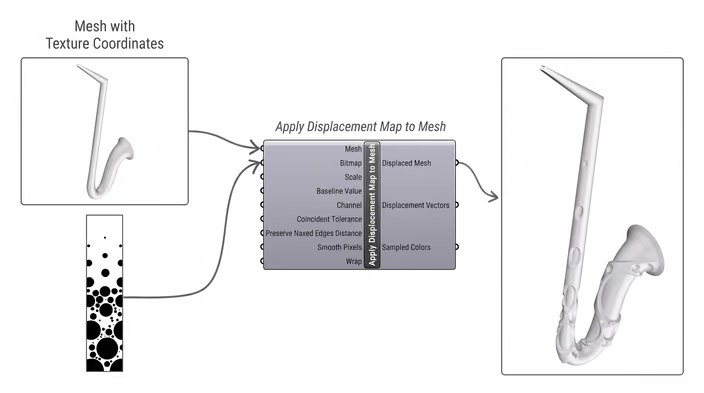
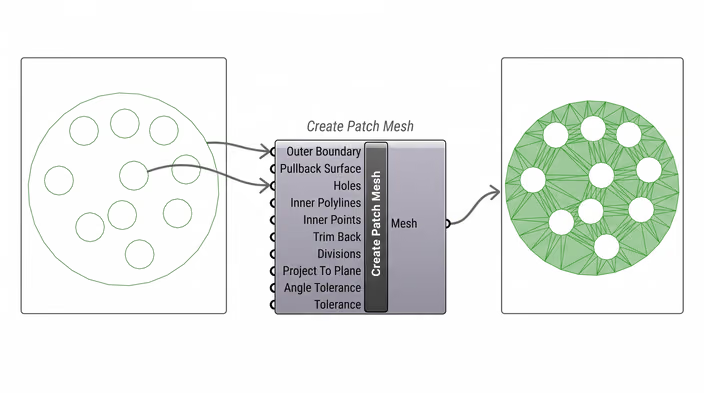
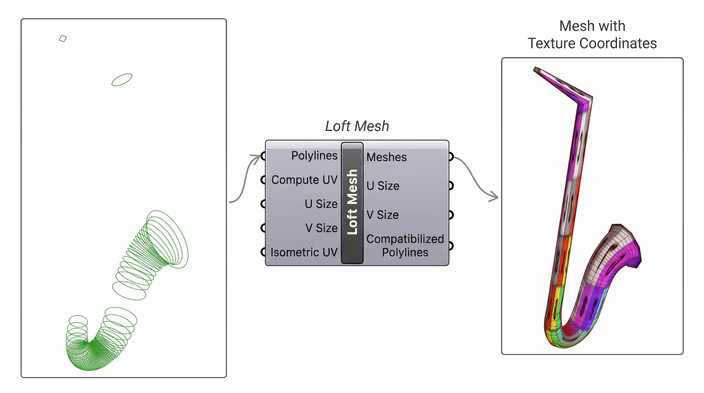
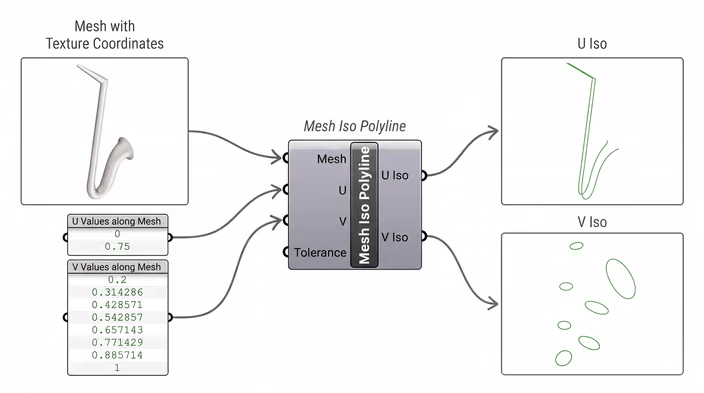
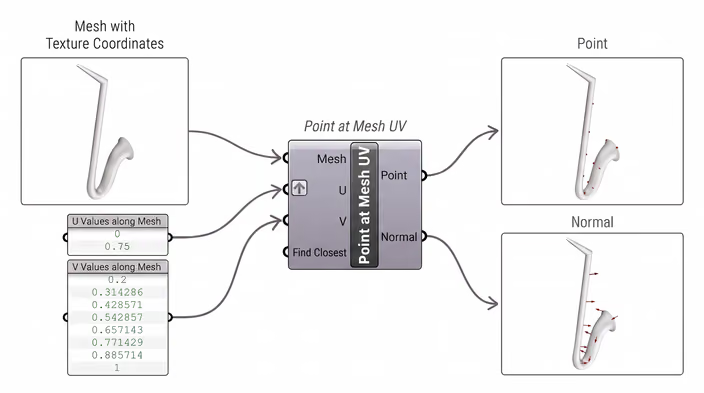
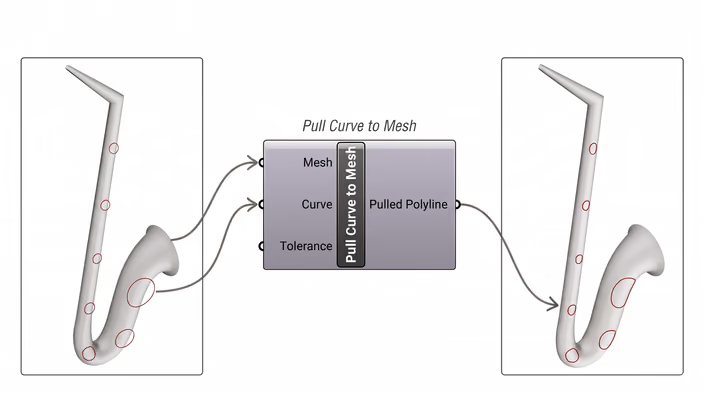
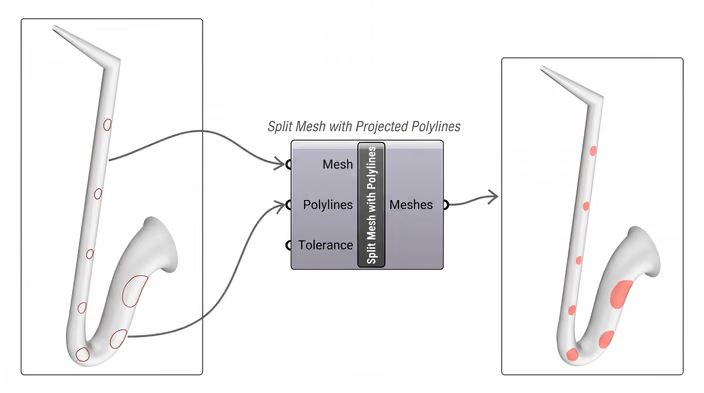
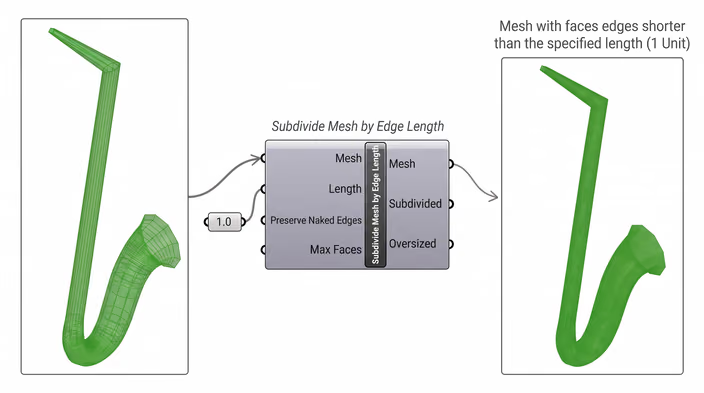
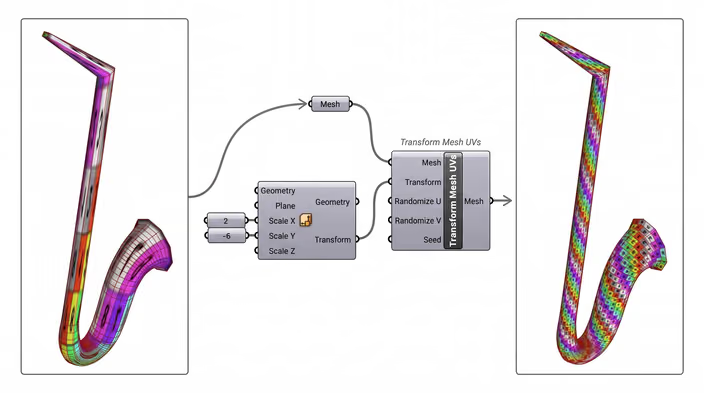
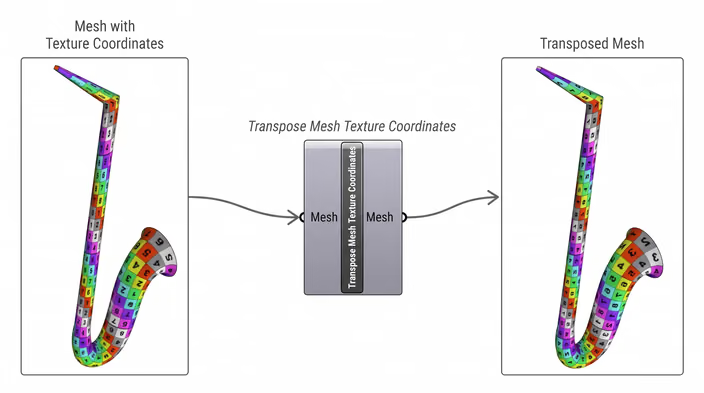
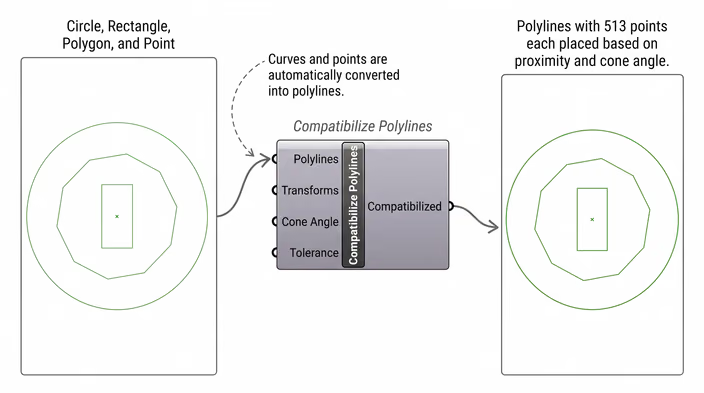
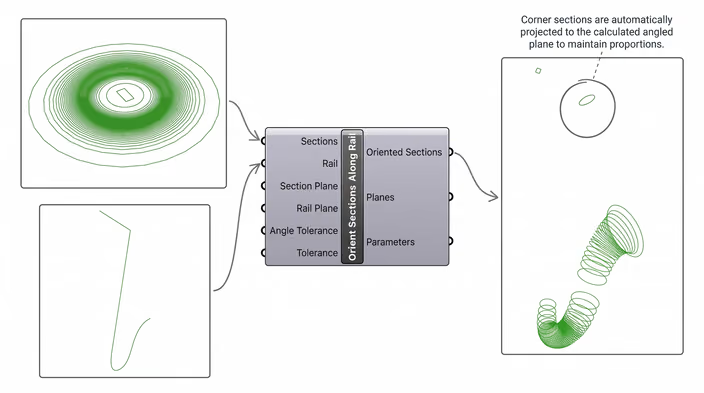
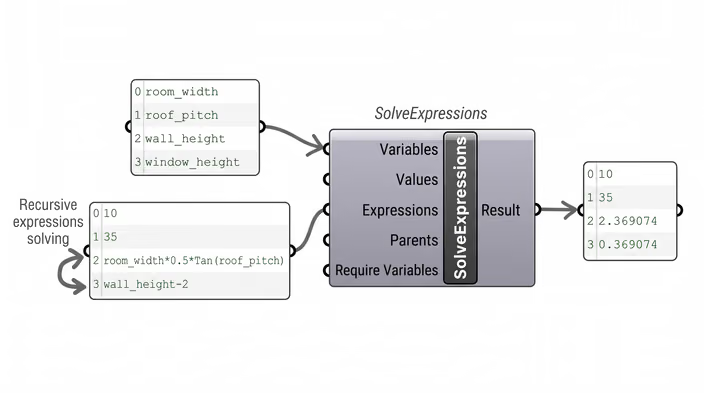
After a decade of creating scripts, and with the goals of avoiding compilation delays as well as organizing, professionally packaging, and maintaining our scripts, we decided to create a publicly available plugin that consists of mesh, polyline, curve, and data manipulation components. Some components simply expose existing RhinoCommon methods, others extend them, and several contain highly refined logic built and improved over the years.
Here are some of the components with a small example of what they work:
Meshes
Polylines
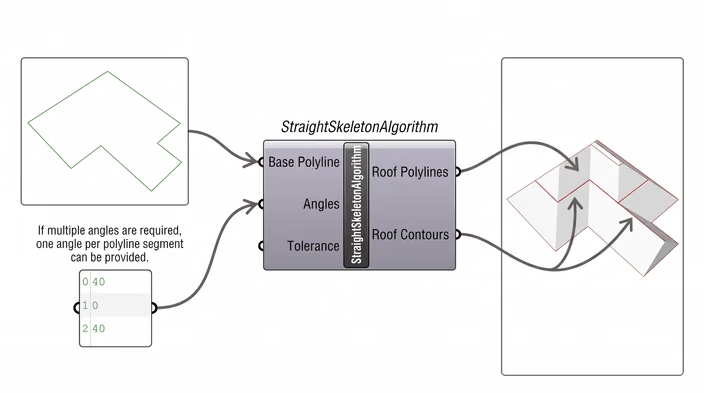
Curves
Data
Currently, the plugin is heavily oriented toward meshes, since we mainly work with them to keep computation time as low as possible (learn more about this in our other blog post: Meshes vs B-reps explained).
You can already access the plugin via the package manager, or check out the Food4Rhino page.
What are the future plans for the plugin?
The current state of the plugin does not yet contain all of the scripts we have developed over the years, so the number of components will continue to grow.
Additionally, we have higher-level scripts that handle automatic organization, review, and optimization of definitions, which we plan to add as menu options in Grasshopper.
Finally, we plan to provide proper skills and tools so that your preferred MCP connection can interact with the plugin and leverage its full potential.
We hope you can find value in this plugin and look forward to feedback!
How ShapeDiver works
ShapeDiver runs your Grasshopper definitions in the cloud and turns them into web apps anyone can use in a browser.