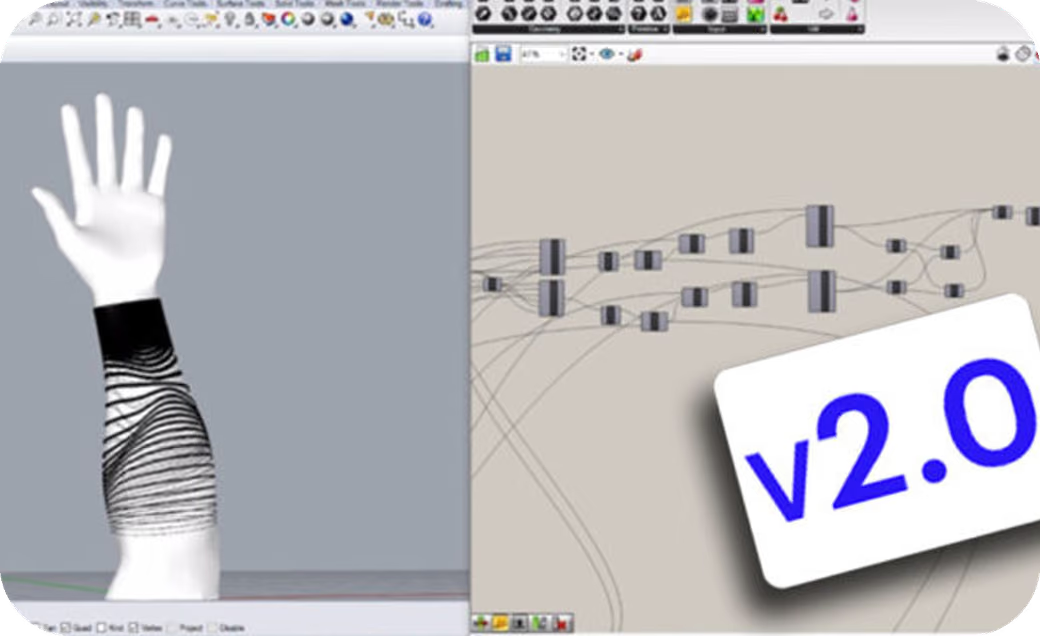
By far the most popular blog post in ShapeDiver’s history was the one where we featured the first version of our tattoo configurator . For our 2nd attempt , we learnt from the weaknesses of the first model and made it more efficient , faster and intuitive .
ONCE UPON A TIME…
…we envisioned a world where simple (yet powerful) online product configuration was possible. We looked at the available options on the market and thought that there should be a better way of doing this.
Fast-forward to 2018 and ShapeDiver has enabled many companies, small and big alike, with the power of Parametric Design that only Grasshopper and Rhinoceros can offer.
CREATIVITY IS INTELLIGENCE HAVING FUN
It all started with small ideas like the original Tattoo Configurator or our Rim Configurator(check it out if you haven’t done so yet) and evolved into bigger, more real-world solutions like the ones we’ve done for all of our clients so far.
MORE EFFICIENT, FASTER, BETTER
Paco Ortiz (from Grasshopper + Rhino Generative & 3D Parametric Design) was again our parametric designer of choice. We challenged him to create an even better version of his first attempt, this time bug-free and simpler to understand and to use.
After several weeks of trial and error, he came back with this version. We all agreed. This new version was ready for prime time.
PARAMETRIC TATTOO CONFIGURATOR v2.0:
Here are the instructions for easier understanding:
Step 1: Choose on which arm you’ll want your tattoo.
Step 2: Measure your forearm’s length (in millimeters) and input it in the configurator.
Step 3: Measure your forearm’s diameter (in mm) and input it in the configurator.
Step 4: Measure your wrist’s diameter (in mm) and input it in the configurator.
Step 5: Choose the total area for the tattoo to cover.
Step 6: Choose between 3 patterns.
Step 7: Choose how many segments should the design have.
Step 8: Choose towards which direction the tattoo should be attracted to.
Step 9: Choose how many attraction (deformation) points your tattoo should have.
Step 10: Choose how intense the deformation of these attractors should be.
Step 11: Choose the exact position of your tattoo by rotating it around your forearm.
Step 12: Download your DWG file and open it with any DWG-friendly software, then print it and bring it to your preferred tattoo shop.
Actually, did you know that Paco actually used his original Tattoo Configurator to create his own design? “Video or it didn’t happen!” we hear you say? Here it is:
What do you think of this idea? Would you try this or recommend it to a friend that loves tattoos? As usual, the sky is the limit when it comes to Parametric Design!
_ _ _ _ _ _ _ _ _ _ _ _
Make sure to follow us on Facebook and Instagram ! Do you have a model or project you’d like us to feature in our blog? Send us an email to team@shapediver.com and we’ll get back to you!
Product configurators
Makers sell made-to-order products through a 3D configurator, and each order arrives priced, with its production files.